Traders Enterprise
Contact us
Open sourceSelf-hosted · yours to run

The Operating System
for Trading.

Back-office software for running a trading firm: the day's book reconciled, the reporting and analytics built on it, and risk monitoring.

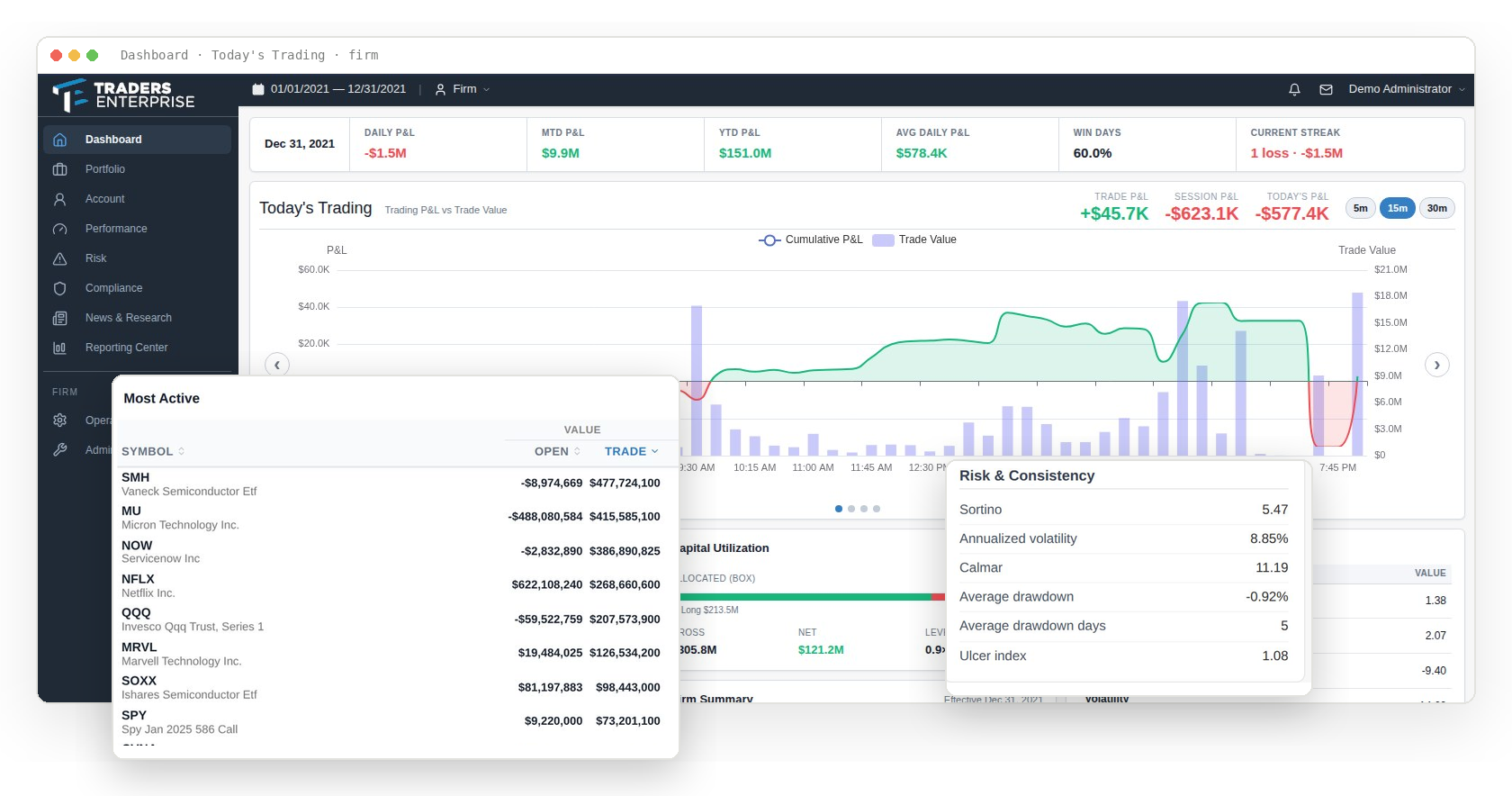
The Traders Enterprise dashboard — the day’s P&L and trading, with the firm’s most active symbols and its risk and consistency statistics in front of it
How it works Entered by the firm Sources Runs on it Account expenses 16 groups, calculators Account transactions Journals, transfers Operator entry Overrides, done-aways Broker files Trades and positions Market data Quotes & pricing News & research SEC filings, news feeds Traders Enterprise Normalised, reconciled, published every day Computed Seat charges Margin interest ECN fees Expenses & overhead Payout & reserve Payouts Contribution Risk Compliance Analytics
The daily firm book

One book for the whole operation.

Ingest your prime broker's files, build the firm's daily book from them, and run the whole operation off it — positions, execution, performance, risk, producer economics, compliance, and reporting.

Every screen in the product then reads that same book, so the number on the risk screen and the number on a producer's payout statement come from one place.

Broker coverage varies: Goldman Sachs full path; J.P. Morgan partial; StoneX/FCS futures and currency subset. Onboarding a new prime is a scoped engineering project we take on during implementation.

Producer economics: Periodic cycle, not a real-time profit-split dashboard. Not fund accounting.

Why Traders Enterprise

Less time building your data. More time using it.

The usual choice is a black box or a spreadsheet

A closed platform asks the firm, its partners and its producers to trust numbers none of them can check. A spreadsheet can be checked — and it is where the errors come from, errors the firm ends up paying for.

Change the parts your firm does differently

Realization and payout interfaces provide places to customize how P&L is realized and how producers are paid. The supplied lot accounting is FIFO-only. Custom implementations require development and verification for your firm's rules.

The platform

What we provide

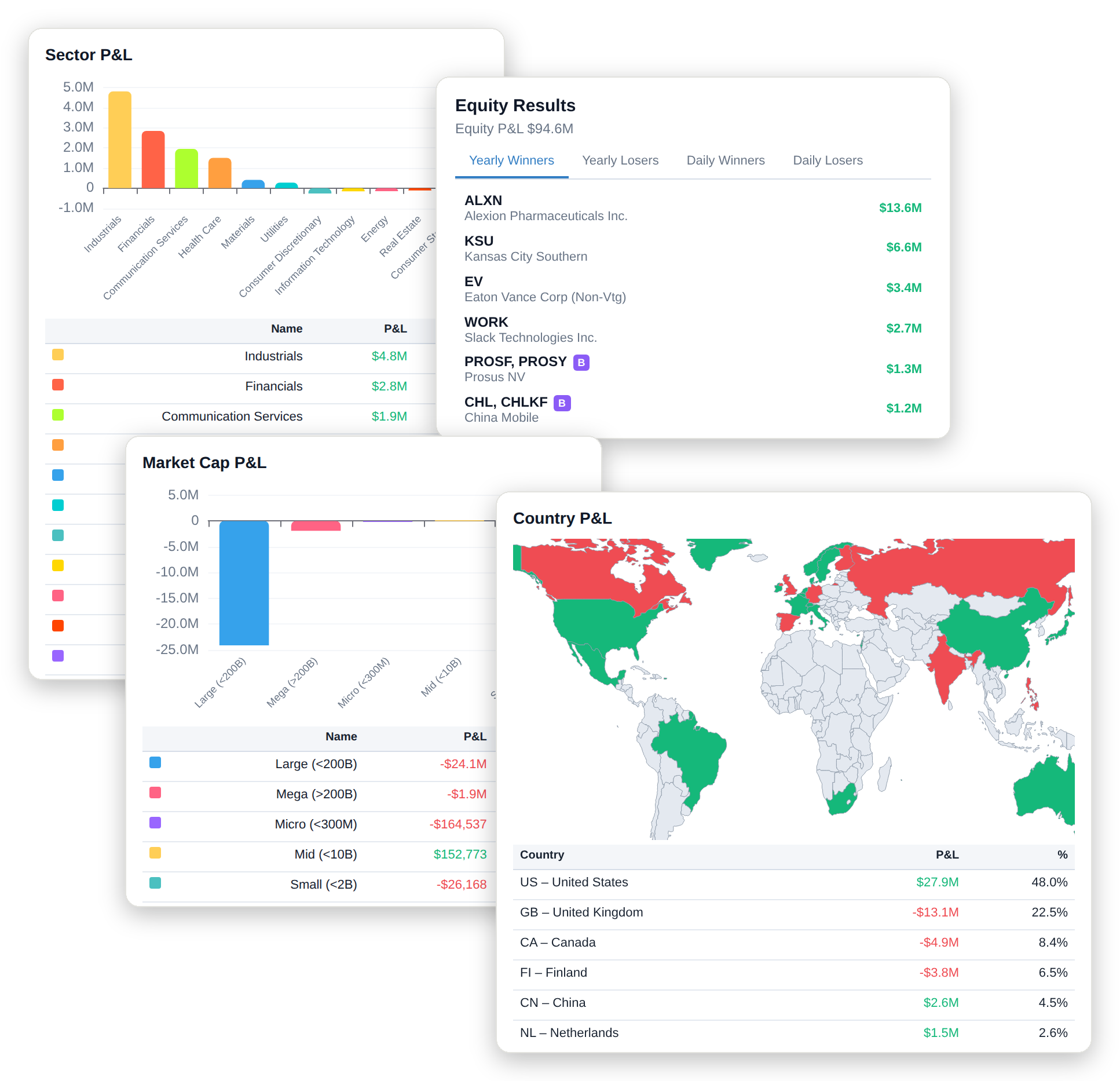
Analytics in the application — Daily Profit · Monthly Profit · Win / Loss Statistics
Analytics

Visualize P&L from every angle, sector drilldowns, market cap concentration, global risk, and yearly winners and losers.

  • ProfitabilityDaily Profit · Monthly Profit · Win / Loss Statistics
  • VisualizationSector P&L · Market Cap P&L · Country P&L · Equity Results
  • ReturnsCumulative Returns · Daily Returns · Monthly Returns Heatmap · Worst Drawdown Periods · Underwater Periods
  • StatisticsRatios · Risk · Performance · Daily Return Distribution · Return Quantiles
  • Firm AnalysisRisk vs Return Analysis · Sharpe Ratio Distribution · producers ranked against the firm average
  • ComparisonAccounts side by side, metric by metric
  • Round TripsBy Symbol · Largest Win · Largest Loss · Avg Days Held
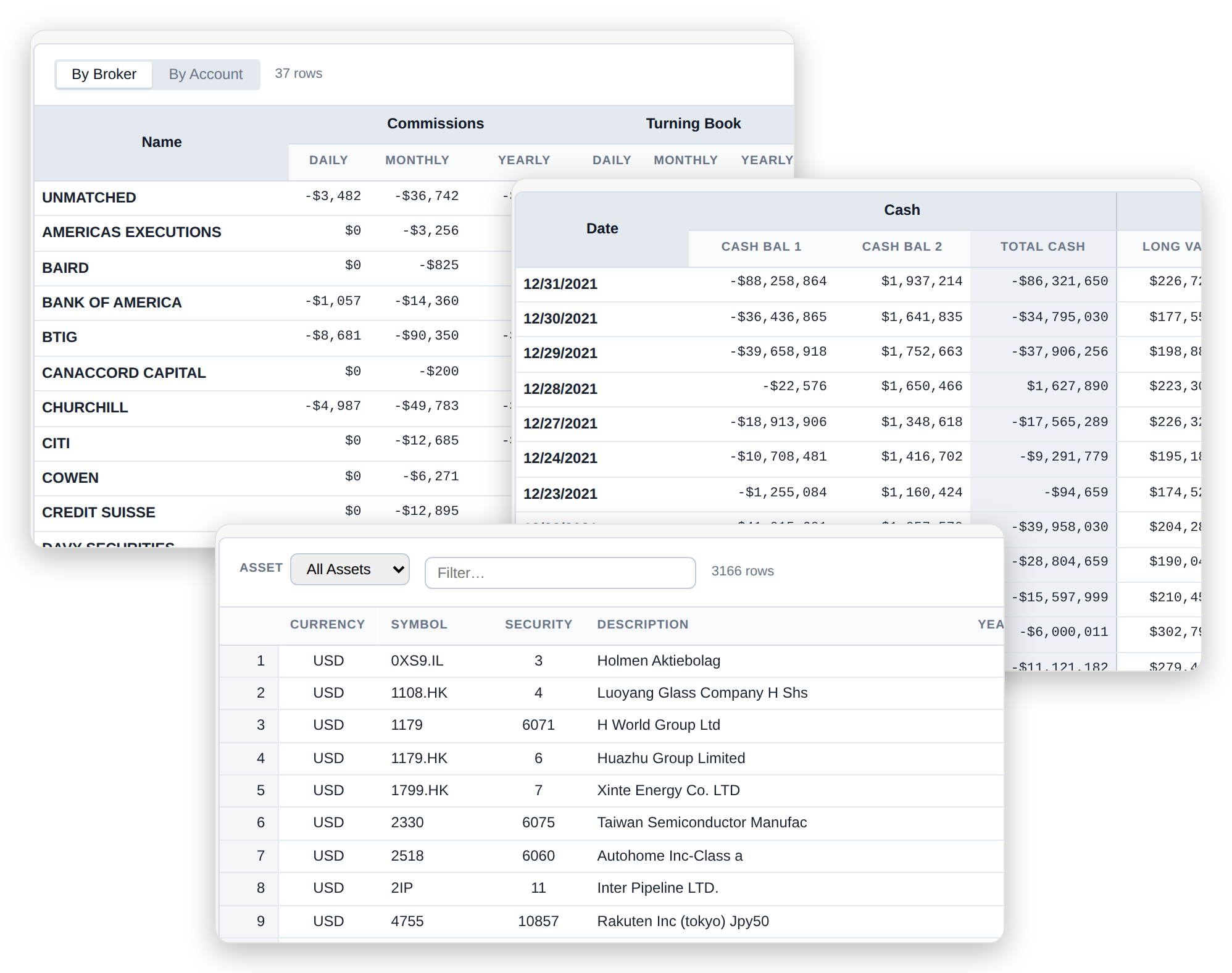
Reporting Center in the application — Daily standing, contribution and producer performance
Reporting Center

Reports for the firm and its producers, its capital, its costs, its positions and its ledger — reorderable per user.

  • Firm & TraderDaily standing, contribution and producer performanceTop Sheet · Contribution Summary · Trading Profit · Top Daily Positions
  • PerformanceReturns, statistics and account-level performanceAccount Performance · Account Statistics · Daily Returns · Daily Trading Summary · Trading Summary Yearly
  • Capital & LiquidityCapital deployed, net liquidation and marginNet Liquidation · Capital Daily · Capital Yearly · Margin Detail · Margin Ineligible · Risk Requirement
  • Costs & ChargesCommissions, fees, financing and interestCommissions · Broker Commission · Seat Charges · Exchange Detail · Finance Summary · Margin Interest · Interest Summary
  • Positions & ActivityPositions, transactions and traded volumePositions · Symbol Summary · Symbol Detail · Transactions · Volume · SPAC Report
  • Ledger & JournalsAccount balances and journal entriesAccount Detail · Journals · Non-Cash Journals
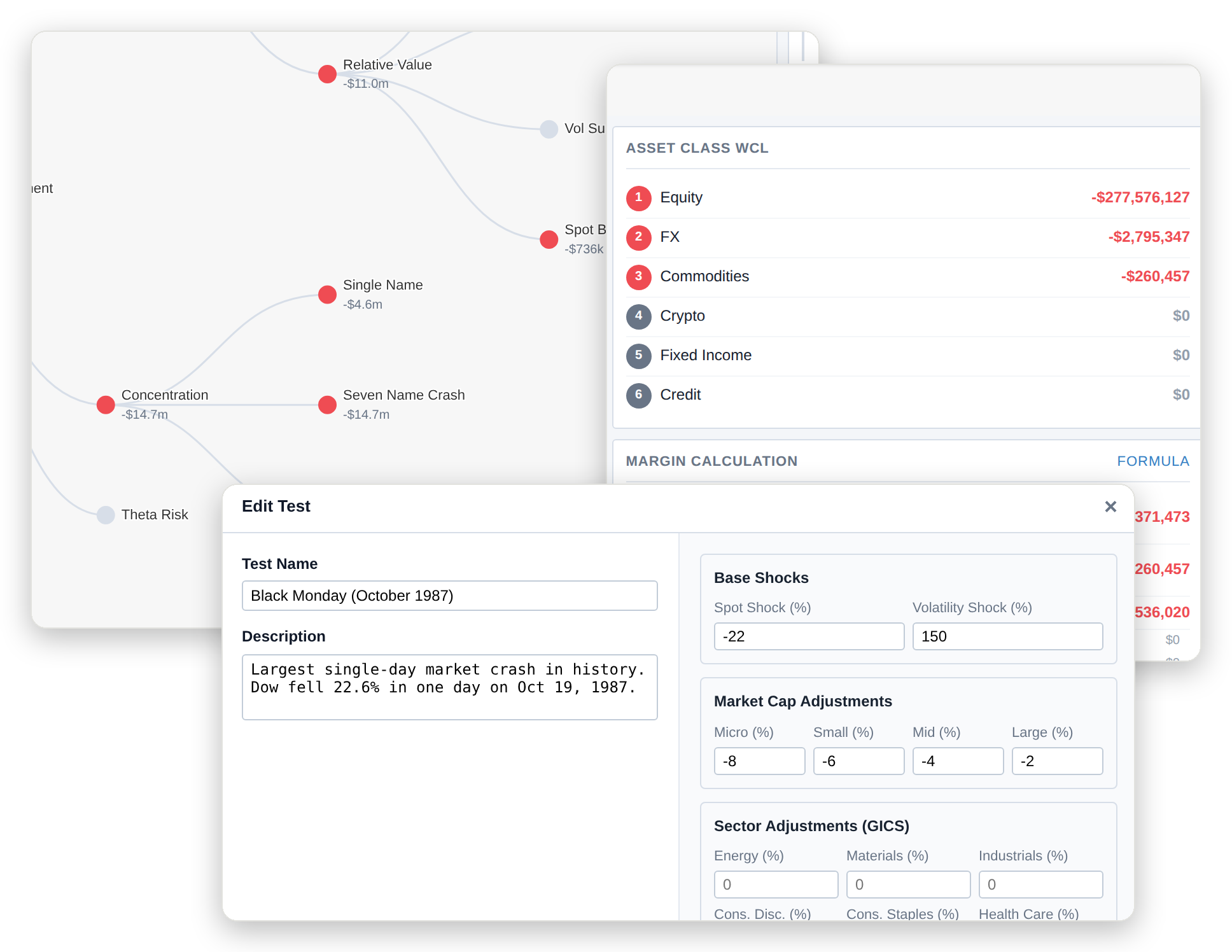
Risk in the application — Overview · History · Events
Risk · Compliance

Firm-wide risk through the trading day, and the firm's own supervisory review.

Intraday views refresh by approximately 15-second polling. Limits detect and alert; they do not block orders. Supervisory monitoring only.

  • MonitorOverview · History · Events
  • ExposureData · Delta · Heatmap
  • Stress & CapitalShock · Model · Margin
  • ComplianceOverview · Cross Trades · Corporate Actions · Restrictions
Operations in the application — Securities, brokers, baskets and fees
Operations

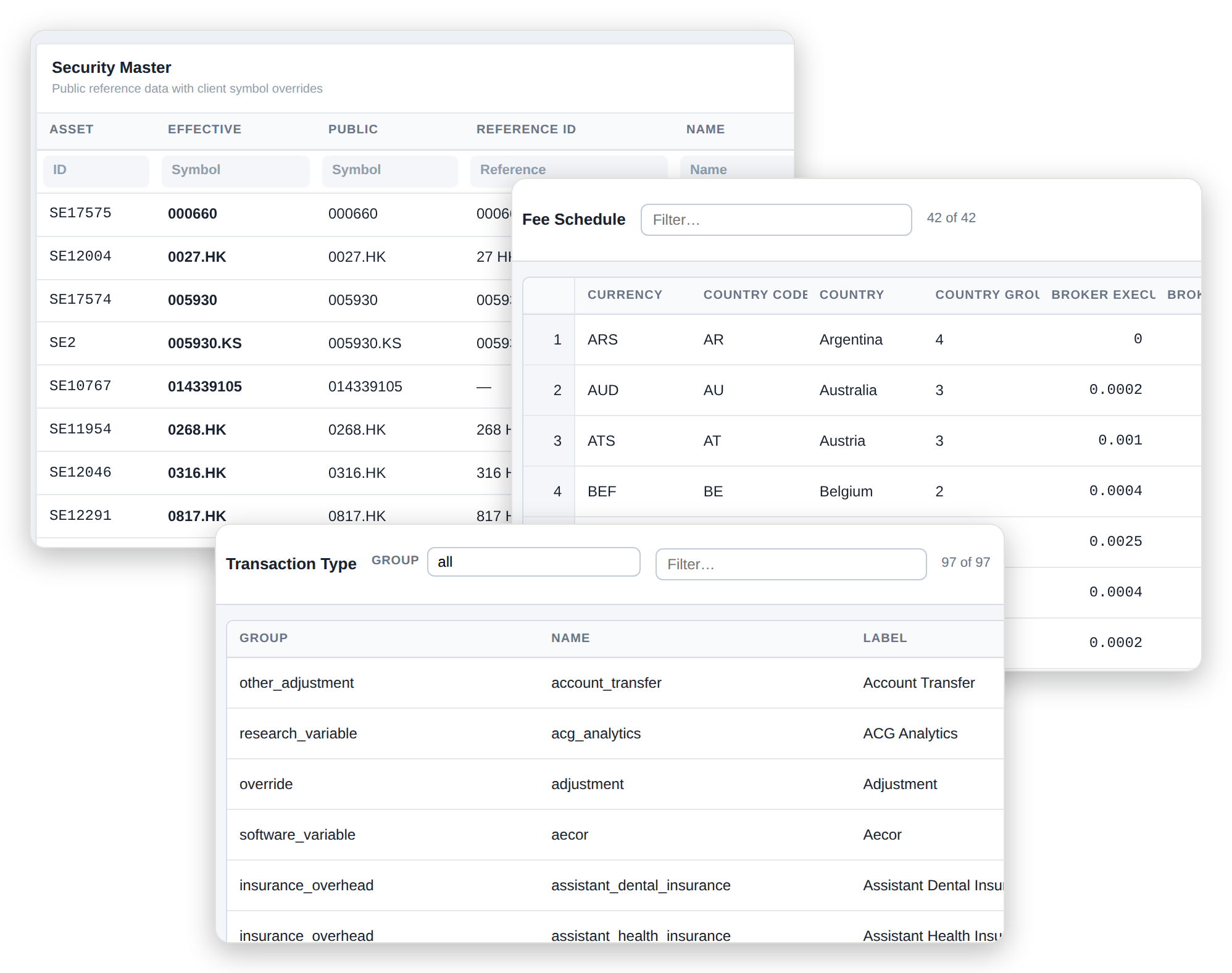
The reference, processing and expense data the day is built from, and the tools to correct it.

  • Reference DataSecurities, brokers, baskets and feesSecurity Master · Brokers · Security Baskets · Fee Schedule
  • Processing DataClassification and processing rulesTransaction Types · Cross Turns · Note Types
  • Trading DataTransactions, transfers and optionsAccount Transactions · Journal Transfers · Done Away Options
  • Expense DataExpense postings, allocation and overheadAccount Expenses · Account Line Items · Line Item Types · Expense Calculator · Overhead Calculator
  • Corrections & RulesOverrides, corrections and alert routingSecurity Overrides · Transaction Overrides · Rules & Alerts
Traders Enterprise API

The data layer you control.

The API allows the firm to control the data its agents see. It provides a layer you control between the data provider and your operations.

One provider connection

The API holds the single connection to the market-data provider and stores data before delivering it. Access needs your bearer token, and MCP exposes only the tools you configure.

Point-in-time data

Security identities across ticker changes, minute bars, S&P 500 membership, fundamentals and news. Reads can be made as of a past time.

Open and customizable

Built on Java and Spring Boot, with data stored as Parquet and read with DuckDB. Choose the market-data feed, the symbols published, and whether MCP is enabled.

Explore the API
Offerings

Choose how you run it.

Self-hosted

Run it yourself

Install and operate Traders Enterprise yourself. Your team runs the daily data build, maintains the software, and provides 24/7 support.

Your infrastructure

Your team manages

  • Deployment and configuration
  • Daily data build
  • Software updates
  • Monitoring and backups
  • 24/7 support
See the open-source projects
Your infrastructure

On-site installation and service

Run Traders Enterprise on infrastructure your firm controls. We provide on-site installation and service, with the work scoped around your environment.

Contact us

Scope to agree

  • Installation on your infrastructure
  • Software updates and maintenance
  • Backup responsibilities
  • Monitoring responsibilities
  • Service and support arrangements

Prefer to run it yourself? Explore the open-source projects.

Professional services

Implementation and engineering services.

Help with deployment, broker data, platform extensions, and calculation review.

  • Managed hosting and on-site installation
  • Broker and data integration
  • Platform extensions
  • Independent calculation review
Explore our services
Get in touch

Evaluating it, running it, or want us to run it for you?

Discuss hosting, broker integration, calculation review, or support.

Get in touch

Evaluating it, running it, or want us to run it for you?

We use your details to respond to this enquiry. Submissions are stored and screened for spam.